
Amazon CodeGuru Security is the pay as you go Static Application Security Testing (SAST) offering from AWS, which is currently in preview release. If you are a GitHub user CodeGuru Security is an alternative to GitHub Advanced Security (GHAS). CodeGuru Security can be a viable option for GitHub Organizations of all sizes, whereas GHAS is targeted more towards enterprise customers, with a per user licensing model, and public repositories.
Let’s take a look at how we can get up and running, and whether it stands up to other paid SAST tooling available on the market.
Configure the CodeGuru service
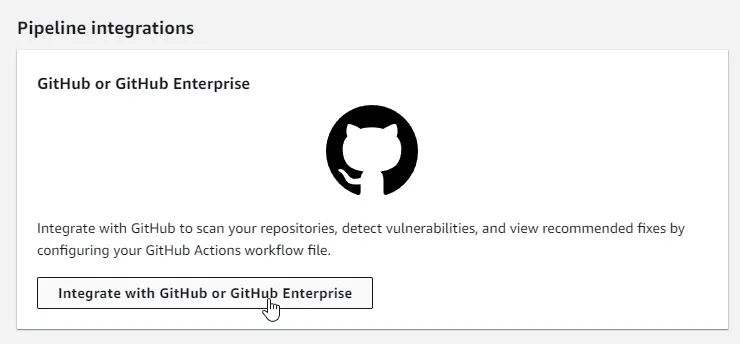
We can search for CodeGuru and from the service page navigate to “Integrations” on the left side menu. Now we can select GitHub as our integration type, and click the button to view the setup instructions:
Create an IAM Role for CodeGuru to use
We need to create an IAM Role to be assumed when running security scans, this role will use OpenID Connect to avoid long lived credentials. The easiest option here is to use the AWS provided template to get up and running, and simply provide a stack name and the repository/organisation you want to allow to perform scans.
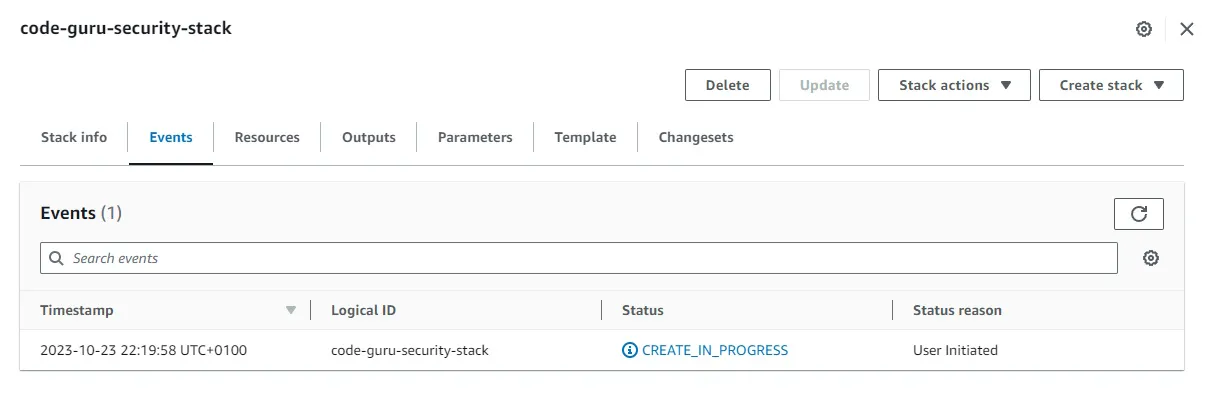
This will kick off the deployment of your IAM Role, and once deployed you can move on to the next step. However if you have issues with deploying the stack it might be because you already have an Identity Provider setup for deployments.
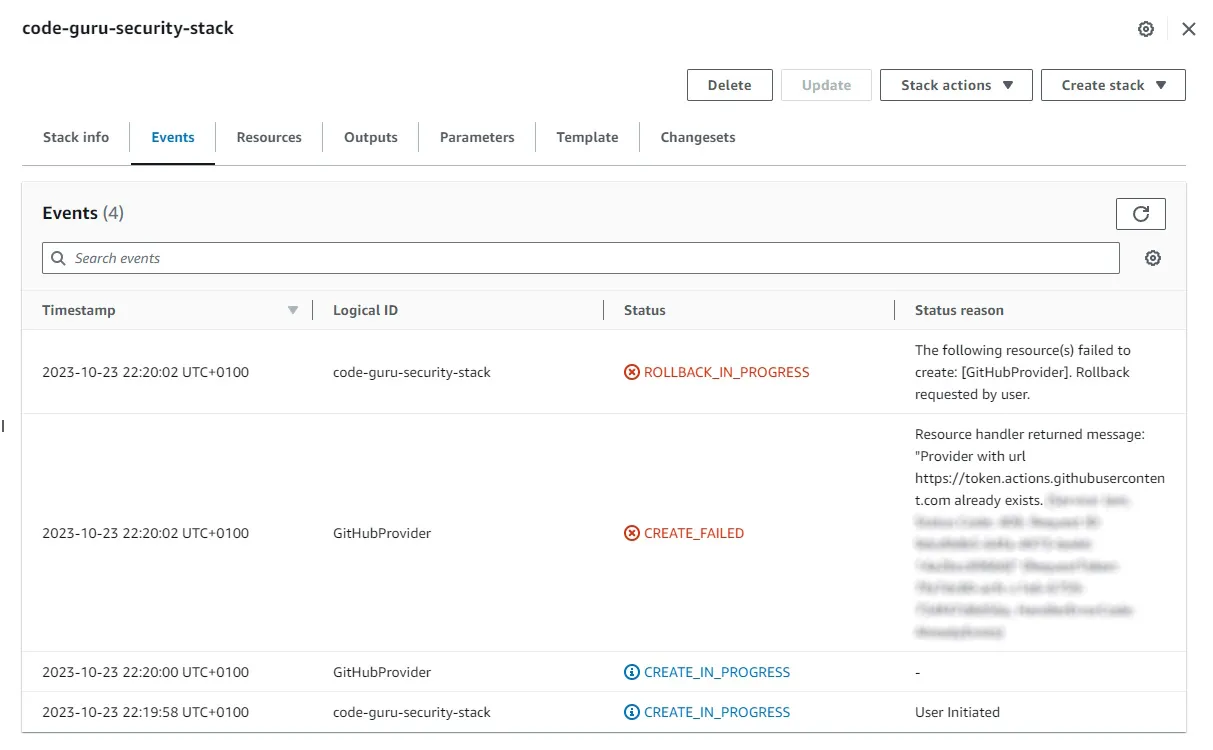
If this is the case for you, you’ll need to manually create an IAM Role for security scans, with the necessary permissions: https://docs.aws.amazon.com/codeguru/latest/security-ug/configure-iam.html
You will need to add the relevant trust relationship to the IAM Role, and restrict the access accordingly. Best practice would be a more robust solution, by limiting to only necessary repositories/branches, but you can use a wildcard for all repositories within your GitHub organization: https://docs.github.com/en/actions/deployment/security-hardening-your-deployments/configuring-openid-connect-in-amazon-web-services
Create the GitHub Workflow
The integration step 2 will provide you with the GitHub Workflow YAML code for you to add into your repository. If you manually setup an IAM Role, like I had to in the previous step, you will need to change the name of the IAM Role on line 27 of the YAML file to match the one you created.
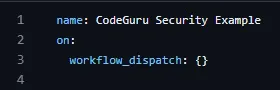
By default this GitHub Workflow will run on every push to the main branch, you should integrate it into your deployment code if you want it to act as a quality gate in your CI/CD deployment process. As I'm only testing the functionality I'll set the following option, so that I can trigger the GitHub Workflow manually:
Testing my repository
I added some lifelike test credentials to an .env file and pushed them to my repository for testing purposes and ran the CodeGuru Security Example workflow.
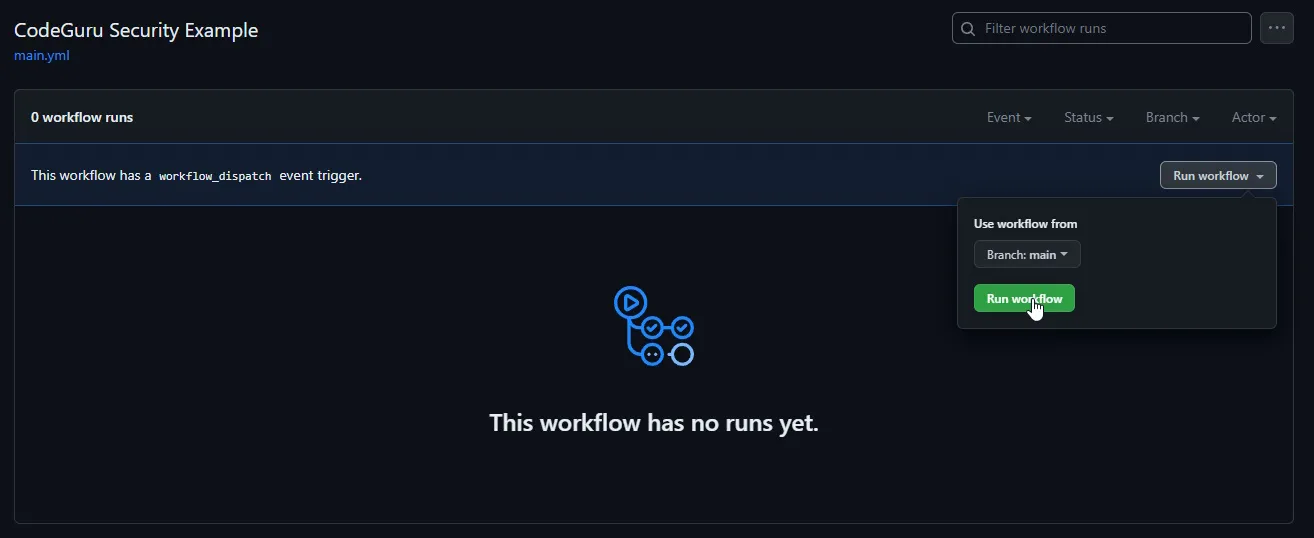
The workflow is set up to break and give a failure response, to block critical findings from reaching production, and still upload all findings to Amazon CodeGuru. We can see this in action during our initial test run:
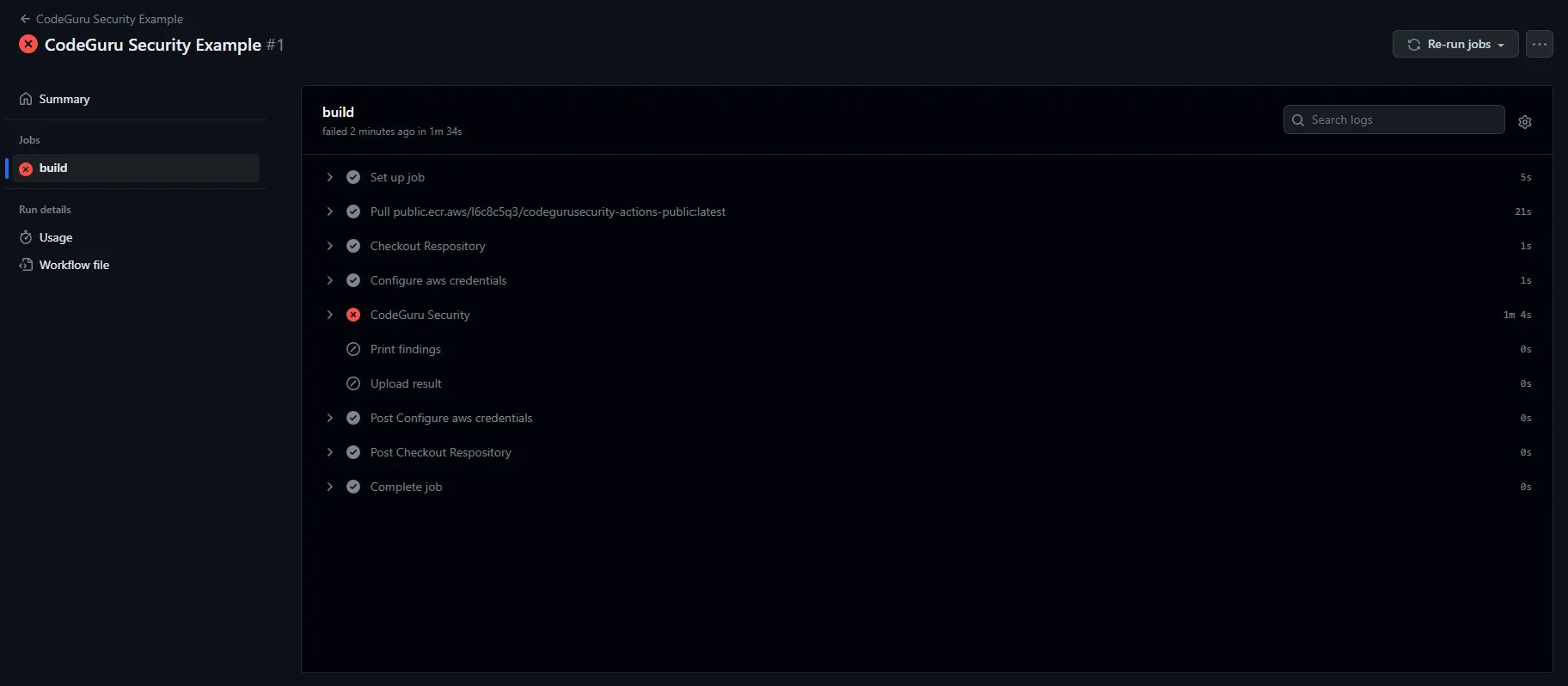
Due to the scan having a critical finding the “CodeGuru Security” phase shows a failure, which is the blocking nature of a finding of this severity defined within our YAML file. As you can see the finding was then uploaded to AWS so it’s visible within our dashboards. We can now observe the finding in question:
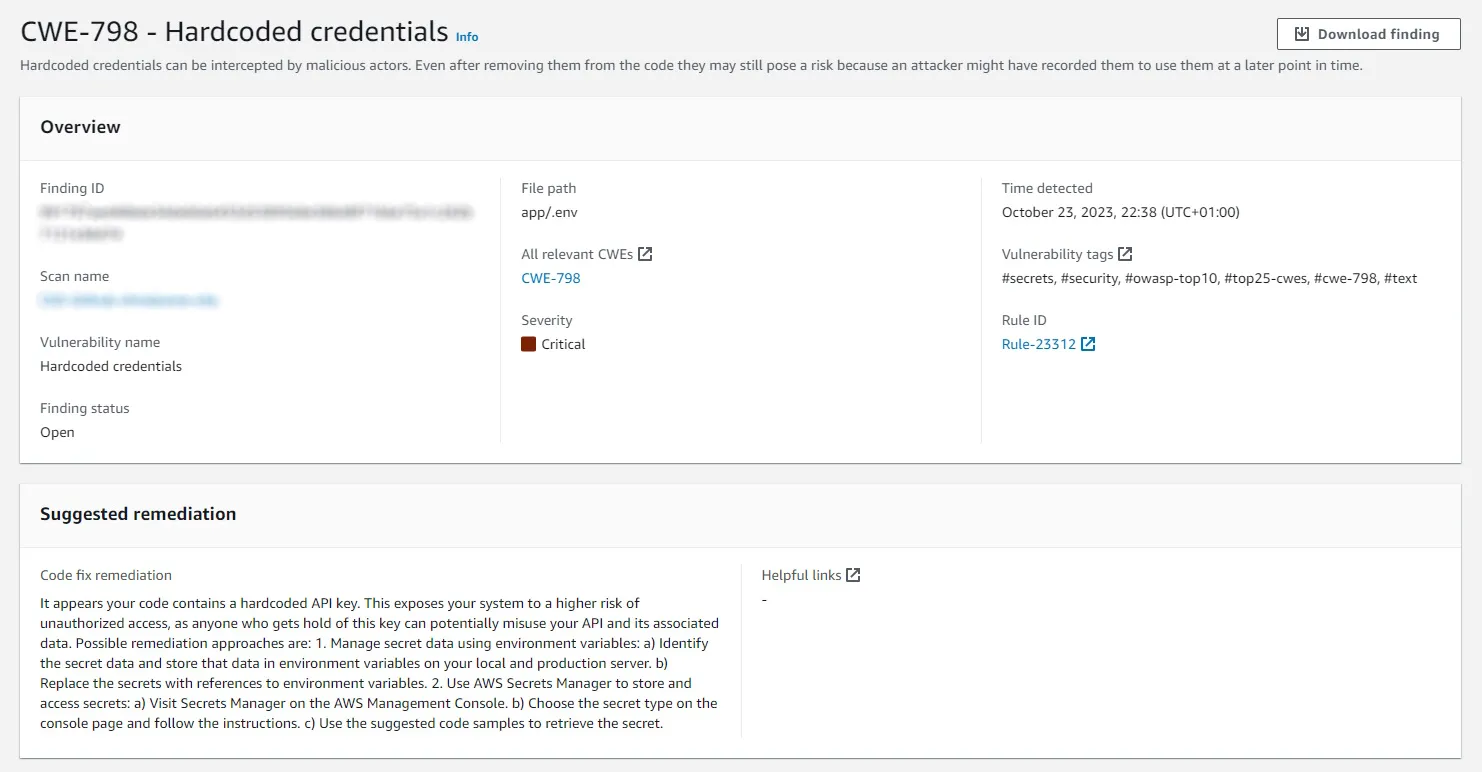
It also shows more context for the location of the findings in a code snippet section below what is shown in the above screenshot.
CodeGuru Metrics
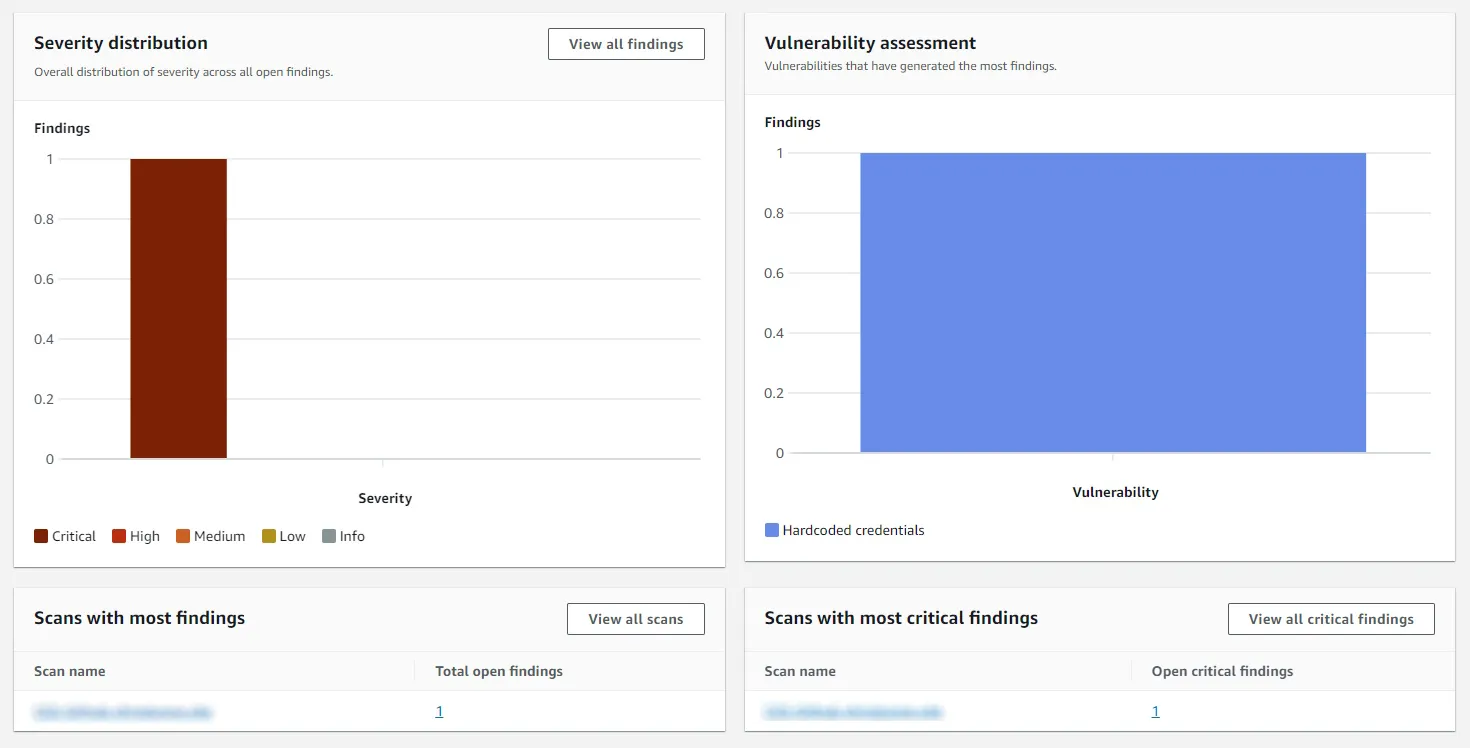
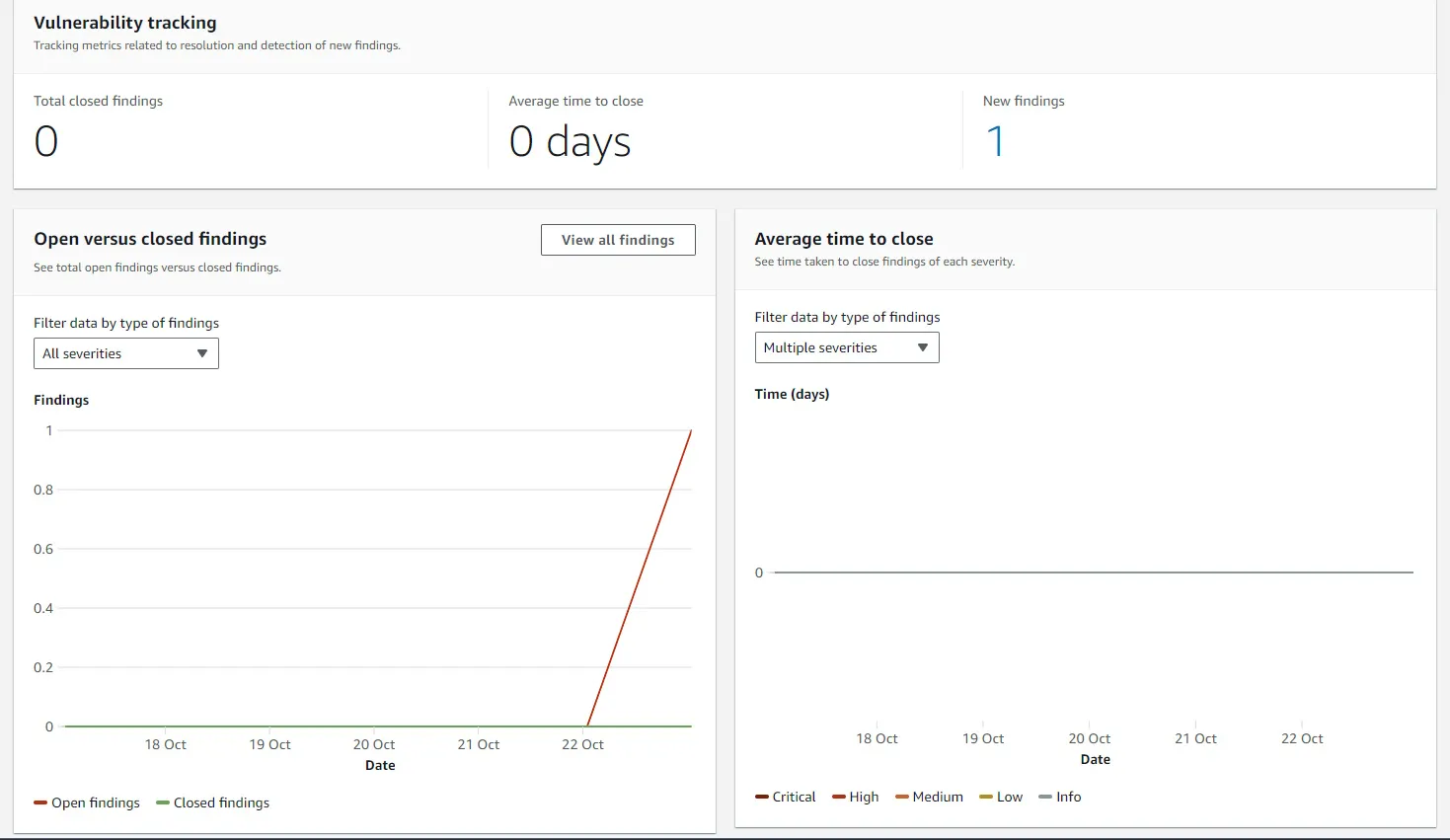
The CodeGuru Security dashboards provide metrics to show the current security posture of your repositories, and the number of closed findings. When compared to the observability of other AWS services this is a really positive surprise, and it is particularly useful for teams to have visibility of their security posture, and for security teams generating reports for senior leadership.
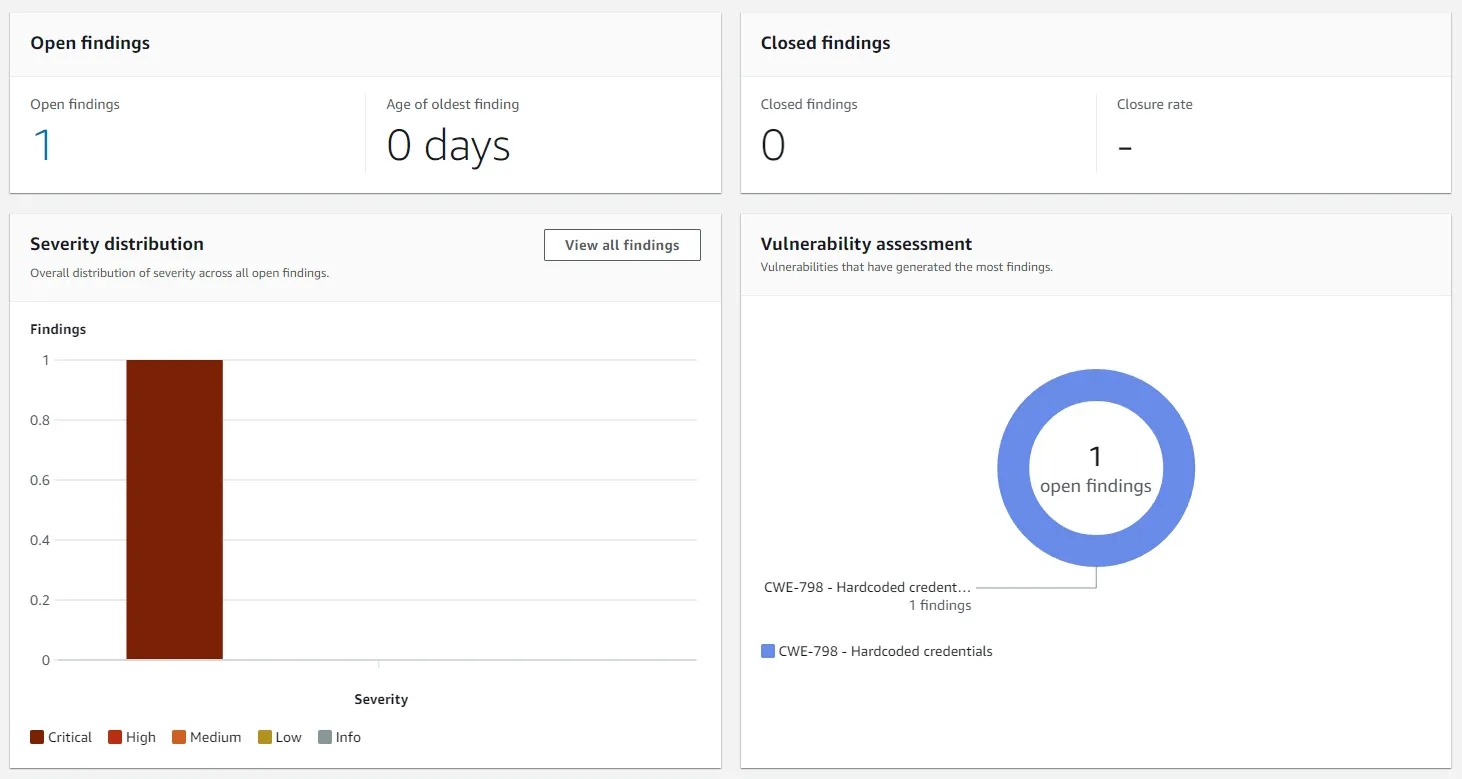
Fixing the critical finding
I removed the offending test code and re-run the workflow, but unfortunately I stumbled across a strange situation. The workflow appeared to fail again, but not because it had a critical finding this time.
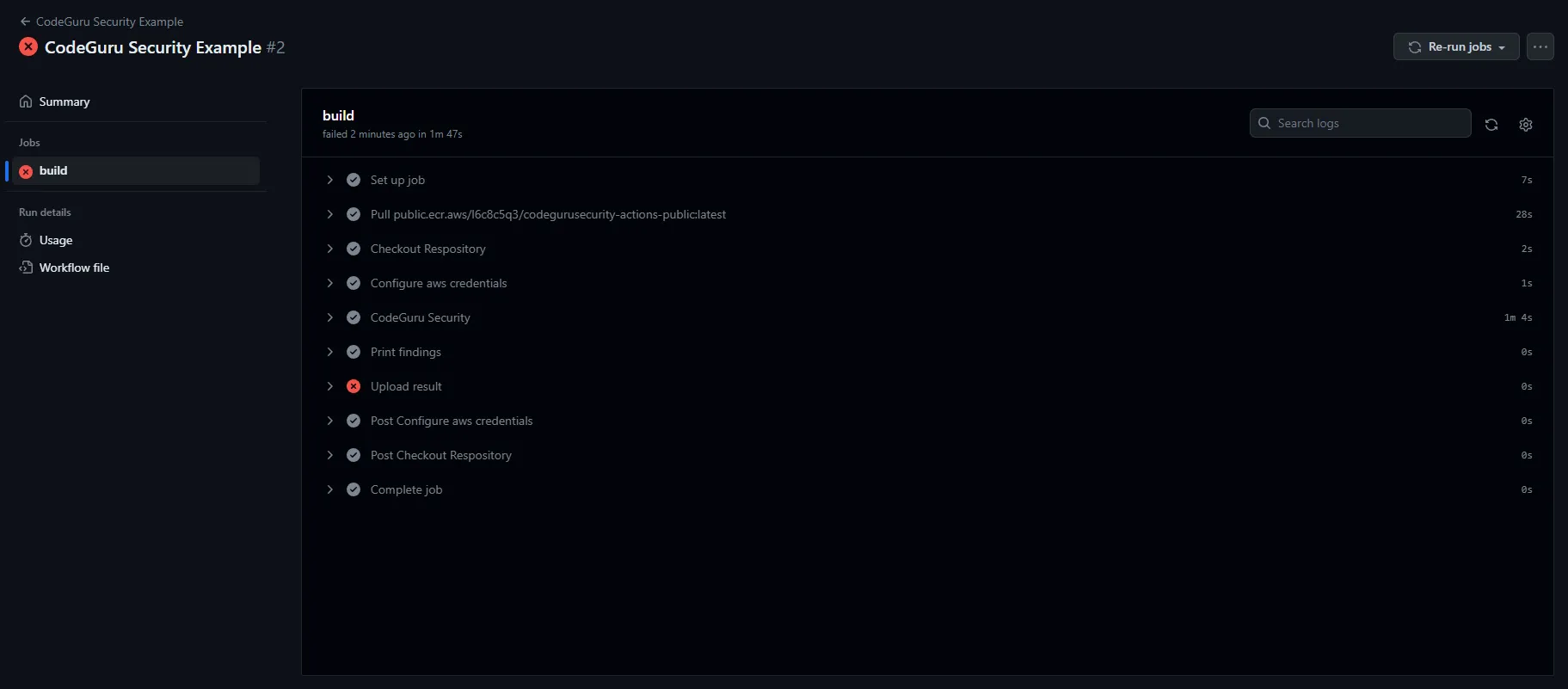
When I look at the error message, it presents the following message within the upload stage of the workflow:

This seemed bizarre at first as I ran the initial workflow not that long ago successfully, but it was caused by an oversight on my part during the initial setup, and relates to a section of our workflow which tries to display our findings within GitHub itself. “Advanced Security” refers to GHAS that we mentioned at the beginning of this post, which is the enterprise security offering from GitHub, which is also freely available for public repositories.
To get our workflow to run through without errors we need to remove the following section from our YAML file:

Now this has been rectified, our workflow runs through successfully with no critical findings, and if we want we can now use CodeGuru Security as a blocking quality gate within our CI/CD process.
What does it cost?
Costs will include the GitHub Actions costs to run the Security scans, this can grow to a significant cost within an Enterprise environment with large amounts of repositories. This tool would be really beneficial and have low running costs for individuals, as it should fall within the GitHub Actions free tier depending on the cadence you set and the size of your repositories.
As is the case with most AWS services you will have to do some calculations of your own to decide whether it’s a cost effective tool for your situation, the official Amazon CodeGuru costs can be found here: https://aws.amazon.com/codeguru/pricing/
Final Thoughts
The tool is easy to set up and get started, and I like that the IAM Role and associated permissions can be defined as code. For a service in preview release it ticks a lot of boxes, for example the dashboard metrics can facilitate product teams to take more ownership of their own security posture.
The reporting option is a nice feature, although it’s fairly basic and mirrors the views from the dashboard. I imagine there will be additional features across both as the service matures.
I’m slightly concerned about the opaqueness of the “Machine Learning” and rules that run beneath the service, if these are published somewhere I wasn’t able to find them during my brief trial of the service. It’s understandable if AWS want to hide the inner workings of the service as it is their Intellectual Property, but by simply removing the test credentials from the code resulting in the closure of the finding was slightly surprising, as the credentials still live within the git history. I would need to carry out more robust testing, possibly by running the public container locally against some more repositories to understand the depth of the scans.
Overall it’s a nice tool, and although it’s not yet at the level of other enterprise offerings, it could provide value for individuals with private repositories who want a less manual SAST tool. It’s also worth noting that at the time of writing it only supports Java, Python, and JavaScript.
I'm looking forward to seeing what's next for Amazon CodeGuru Security.