
Using GitHub Advanced Security (GHAS) with CodeQL for scanning GitHub Workflows has worked quite well for me since its release as a supported “language”, but how does it compare to a stand-alone tool?
CodeQL is open source, so we can use it without the requirement of GHAS, but honestly it’s a bit of a faff, and on the surface zizmor looks like a promising alternative for those who just want a tool they can download and run without having to worry too much about the details.
Installation
If you’re on MacOs zizmor is available through homebrew, which is nice and convenient, or for Windows or Linux users there are other options including Docker: https://docs.zizmor.sh/installation/
There’s also a GitHub Action so you can plug it into your GitHub Workflow to validate your GitHub Workflows, as part of your workflow… I think for this test I’d like to explore that option: https://github.com/zizmorcore/zizmor-action
Creating a Workflow
I’m going to set it up for testing purposes as a standalone GitHub Workflow, which can be triggered manually. For real world use cases it probably makes more sense to have it as a security gate in a validation step before deployment.
Here’s the test Workflow I’ve setup in one of my repositories, located at .github/workflows/zizmor.yml:
name: GitHub Actions Security Analysis with zizmor 🌈

on:
  workflow_dispatch: {}

jobs:
  zizmor:
    runs-on: ubuntu-latest
    permissions:
      contents: read
      actions: read
    steps:
      - name: Checkout repository
        uses: actions/checkout@de0fac2e4500dabe0009e67214ff5f5447ce83dd # v6.0.2
        with:
          persist-credentials: false

      - name: Run zizmor 🌈
        uses: zizmorcore/zizmor-action@b1d7e1fb5de872772f31590499237e7cce841e8e # v0.5.3
        with:
          advanced-security: false
The workflow_dispatch: {} allows me to trigger the GitHub Workflow manually within the GitHub UI.
It’s important to pin your 3rd party actions to a commit hash and it’s worth noting these were the latest versions of the checkout and zizmor actions at the time of writing, you may need to update these in the future.
Running the Zizmor scan
I checked in the changes, and manually triggered the workflow.
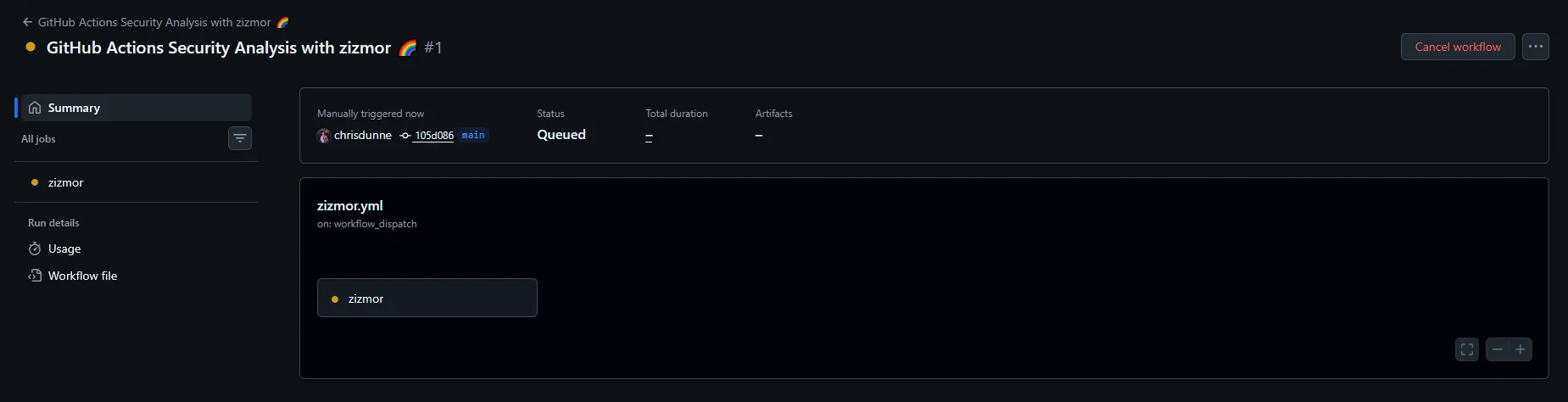
It installed and ran really quickly, which would make it ideal to have as a check in your deployment pipelines. I was hit with a wall of findings I kinda knew were there, but out of sight out of mind, now they’re visible I’ll make sure to address them.

I don’t really use this repository, it’s just sitting there in need of some TLC. Now I’ve got my excuses in for how bad that result is, let’s take a look at one of the findings, as it links to documentation on the zizmor website with a breakdown for each finding type: https://docs.zizmor.sh/audits/#unpinned-uses
As you can see, I’ve mentioned earlier how important it is to pin 3rd party GitHub Actions, and I’ve not done it myself in this repository. “Do as I say, not as I do.”
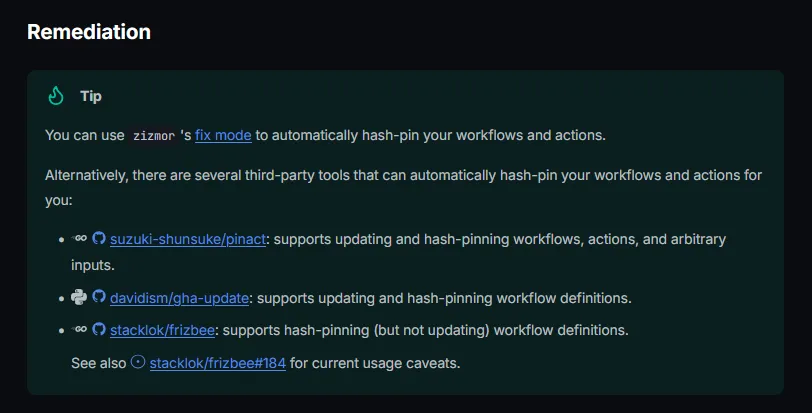
While looking in the reference material it shows an optional auto-fix command, so we’ll have to give that a go. I like how it provides alternative tools, and I believe if you are using GHAS with CodeQL then Copilot can auto-remediate these findings for you.
I probably should just run it locally, but instead I’m going to create a GitHub Action which runs on failure and remediates any findings it can automatically.
Updating the Workflow and introducing an Action
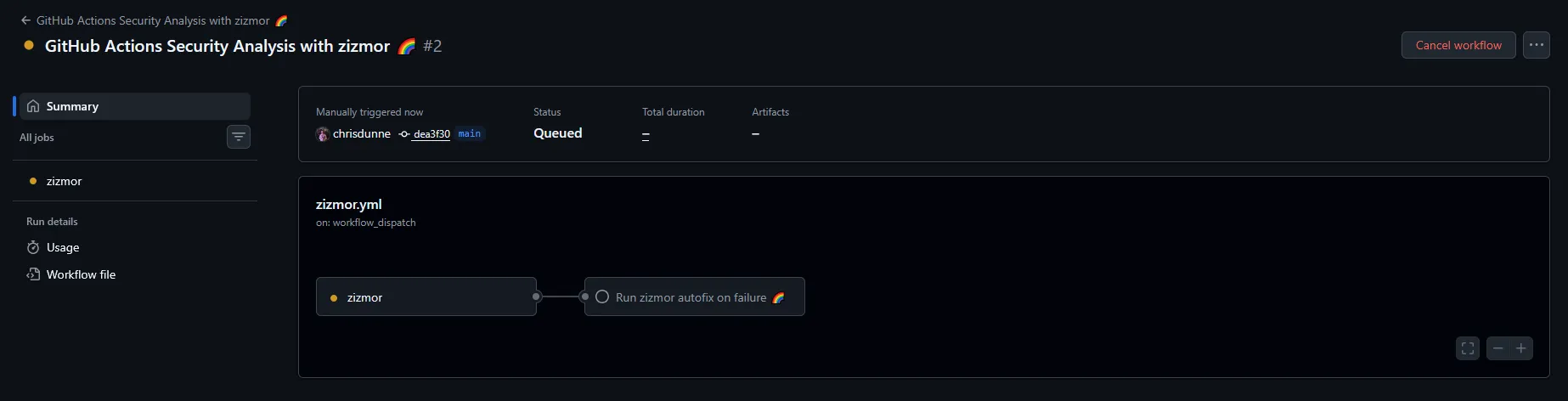
I created a GitHub Action to run the zizmor fix command, commit any changes, push to a new branch, and create a pull request for review, in the event of the initial scan failing. Here’s the YAML for the GitHub Action:
name: zizmor autofix on failure 🌈
description: "This workflow runs the zizmor auto-fix command if the main zizmor analysis fails. It creates a new branch, applies fixes, and opens a pull request with the changes."

inputs:
  github-token:
    required: true
    description: GitHub token used for pushing workflow file changes and opening a pull request

runs:
  using: composite
  steps:
    - name: Validate GitHub token
      shell: bash
      env:
        ZIZMOR_AUTOFIX_TOKEN: ${{ inputs.github-token }}
      run: |
        if [ -z "$ZIZMOR_AUTOFIX_TOKEN" ]; then
          echo "::error::Set the ZIZMOR_AUTOFIX_TOKEN secret to a token that can update workflow files."
          exit 1
        fi

    - name: Checkout repository
      uses: actions/checkout@de0fac2e4500dabe0009e67214ff5f5447ce83dd # v6.0.2
      with:
        ref: main
        token: ${{ inputs.github-token }}
        persist-credentials: true

    - name: Install zizmor
      shell: bash
      run: pipx install zizmor

    - name: Create fix branch
      shell: bash
      run: |
        BRANCH="zizmor/autofix-${GITHUB_RUN_ID}-${GITHUB_RUN_ATTEMPT}"
        echo "branch=$BRANCH" >> "$GITHUB_ENV"
        git switch -c "$BRANCH"

    - name: Run zizmor autofix
      shell: bash
      continue-on-error: true
      run: zizmor --fix=all .

    - name: Commit and push changes
      id: push
      shell: bash
      run: |
        if git diff --quiet; then
          echo "changed=false" >> "$GITHUB_OUTPUT"
          exit 0
        fi

        git config user.name "github-actions[bot]"
        git config user.email "41898282+github-actions[bot]@users.noreply.github.com"
        git add .github

        git commit -m "Apply zizmor autofixes"
        git push --set-upstream origin "$branch"

        echo "changed=true" >> "$GITHUB_OUTPUT"

    - name: Open pull request
      if: steps.push.outputs.changed == 'true'
      env:
        GH_TOKEN: ${{ inputs.github-token }}
      shell: bash
      run: |
        gh pr create \
          --base main \
          --head "$branch" \
          --title "Apply zizmor autofixes" \
          --body "This PR applies autofixes from \`zizmor --fix=all\`."
I added a continue-on-error flag to the zizmor fix step as it carried out a fresh scan once complete and there were still errors. I wanted to still update the findings that could be auto-fixed despite there still being issues.
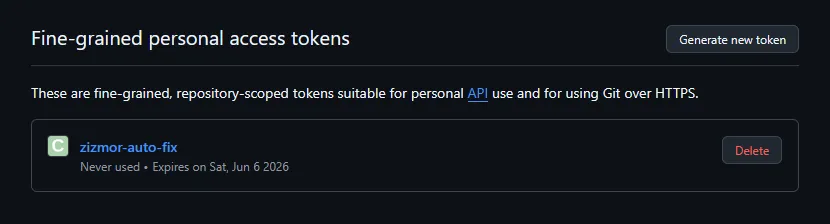
I’m not a big fan of GitHub PATs, especially GitHub Classic PATs, but in this instance I could use a GitHub fine-grained PAT to provide access to update workflow files, as those permissions are not accessible by default. In the real world I probably wouldn’t take this approach to remediation, but it’s good enough for testing out zizmor.

The findings that could be auto-fixed were surfaced in a PR for review and merging.

I ran the workflow one more time to show what was fixed with auto-fix. It’s gone from 20 high and 8 medium findings to 11 high findings, not bad.

I couldn’t bring myself to leave it with findings still being reported, so I manually fixed the remaining few, which only took a couple minutes. Now the pipeline is green and all is good in the world.
Final thoughts
Although I was working with an old repository I knew had security issues, it’s evident through the initial run of the zizmor scan, that even security conscious people can miss things like pinning GitHub Actions.
The findings from zizmor are on par with CodeQL and any other SAST tools I’ve used, and it’s really accessible and easy to get going with, although I made it a little more complicated for myself in this test running everything in GitHub.
In my last post exploring Vercel’s deepsec security harness some findings which were discovered were in relation to GitHub Workflows in this same repository, but the findings were nowhere near as comprehensive as zizmor. Deepsec was also slower and more costly.
Performance was an area where zizmor really did shine, as it just does one thing, and does it really well, it’s lightning fast compared to more bulky SAST scanning tools that try to do everything. In the results I got from my testing there weren't any true false positives, but there were some low risk findings which were called out as low confidence.
Due to how fast zizmor is I’d have no problem adding it as a security gate in a deployment pipeline, and you can even filter on confidence and severity to ensure you’re only blocking when it makes sense to do so. I’d even be happy for zizmor to be part of a pre-commit hook process with something like husky, to get faster feedback in the IDE - if people even use IDE’s any more - or alternatively with your coding agent.
All in all, I’m really happy with zizmor as a lightweight addition to my SAST toolbox, and I’ll be using it much more in the future.