I saw Vercel had dropped a security harness, which you can use with any agent to scan your repositories for vulnerabilities, validate legitimacy of findings to reduce false positives, assign an owner, and generate a report in markdown.
This sounds like a really cool tool to explore, so I wanted to try it out on a repository of my own to see how it would compare to classic SAST scanning tools or simply giving an LLM a prompt to carry out a security scan. I selected an old version of my personal CMS I use for this website, which isn’t in use, so it’s likely to have some vulnerabilities in there.
Installation
The installation was really simple, and you can walkthrough the steps on the repository’s README.md to get going straight away: https://github.com/vercel-labs/deepsec#get-started
Execute the deepsec initialization without installing the package globally:
npx deepsec initNavigate into the “.deepsec” directory which has been created for us:
cd .deepsecInstall the dependencies to the global pnpm store:
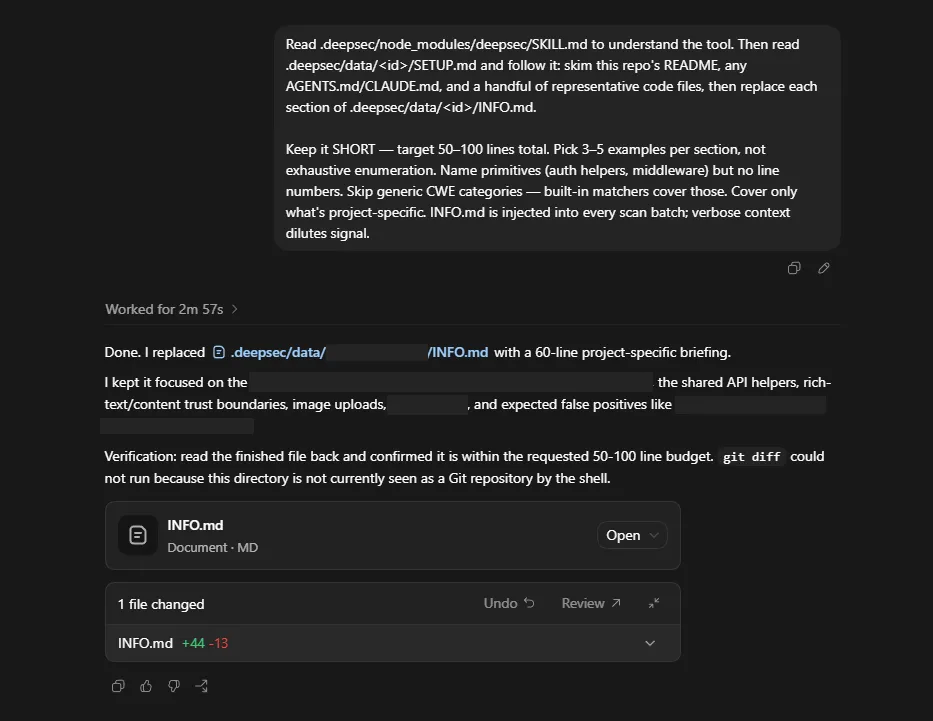
pnpm installI copy pasted the provided prompt into my Codex app, and off it went bootstrapping my environment ready for the deepsec scan:
Now we’re ready to go. I run the series of commands which are recommended, in the order they are specified in the docs.
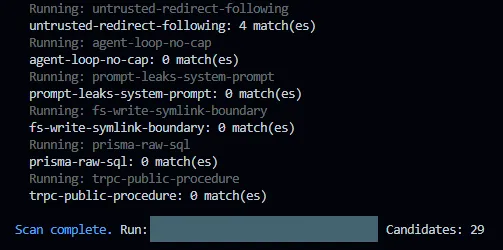
pnpm deepsec scanThis would run through the finding types and pick out any potential candidates for vulnerabilities using regex, no AI is used during this phase. My scan came back with 29 potential candidates.
pnpm deepsec processThis option failed initially as it was trying to use an Anthropic Claude Code agent by default, it suggested setting an environment variable with an API key, which I didn’t do. Instead, I found an optional agent flag and ran the following command.
pnpm deepsec process –agent codexThis worked and Codex with GPT-5.5 was used to process the candidates and output the discovered bugs and vulnerabilities.
pnpm deepsec revalidateThis was labelled as optional, but better for removing false positives, so I gave it a go. I also added on the same agent flag as I had in the previous step. If you’re using multiple agents, maybe it might be a nice feature to have one agent perform the process and a different agent perform the revalidation.
pnpm deepsec export --format md-dir --out ./findingsThis took the results of the scan and output them as a markdown file per finding in the deepsec directory. As it’s agentic scanning you could simply tell it to output as SARIF and import into something like GitHub Advanced Security instead, create JIRA tickets, or just go ahead and remediate the findings in code and create a pull request.
The deepsec findings
Here’s a summary of the findings from the deepsec scan:
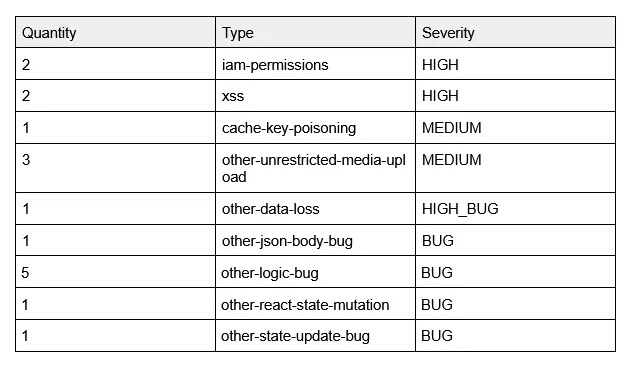
Looking at the results the severity seems to be sensible for the standalone findings, naturally it’s not as robust as something like a CNAPP tool which may provide toxic combinations to get a full understanding of the vulnerability within the context of the application. But, as a standalone scanning tool it appears to be as good as the SAST tools I’ve used, and there is no reason you can’t output the results as SARIF and import them into a CNAPP or simply remediate them before they reach production with your agents.
What was the token cost?
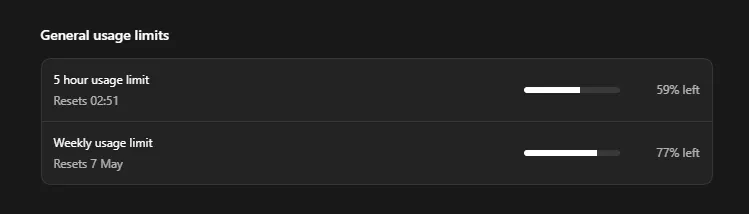
I was at 89% of my 5 hour limit remaining before the bootstrapping, single scan, and revalidation using Codex. This seems like a fairly reasonable token expenditure compared to other agentic security tools I’ve tried, but it’s not as cost effective as SAST, and if you’re running scans continuously I’m sure it’ll add up fast.
How does deepsec compare to a simple prompt?
After looking at the token cost, I thought I’d try using a simple prompt with the same agent and model to see what the findings look like and the usage cost. It was a new day and my 5 hour usage limit had been refreshed, so we’re working from 100%.
I grabbed a fresh clone of the repository, to ensure no deepsec was lingering for the agent to latch onto, and gave it a pretty basic prompt:
“You are a security harness, scan the repository for any security issues and output them to a file called "findings.md" in the root directory.”
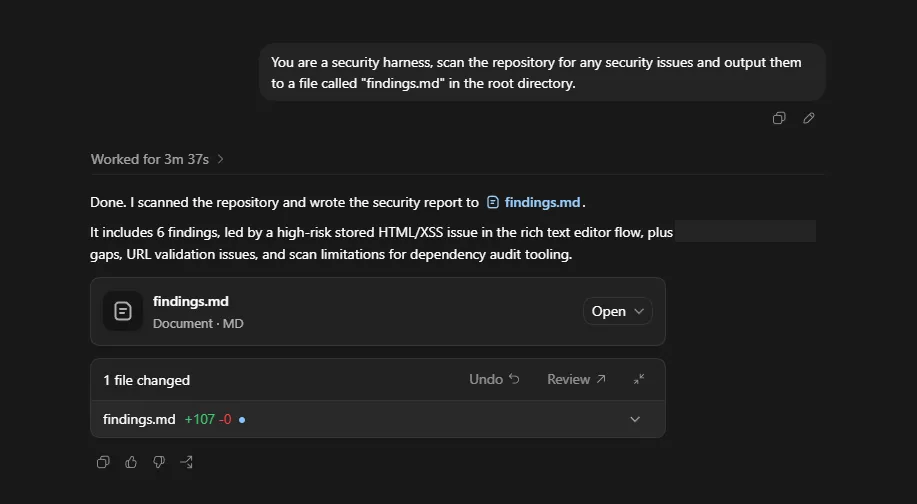
On the surface it looks like it only found 6 issues compared to 17 from deepsec, but as you look in the `findings.md` it becomes evident that it has bundled a few of the findings together as I have in the table above.
It captured the 2 XSS issues discovered by deepsec, but provided additional information around testing.
It didn’t discover the `iam-permissions` issue, which was excessively scoped permissions in a GitHub Workflow.
However, it did find a bunch of vulnerabilities and misconfigurations that deepsec didn’t pick up on. Such as no security headers defined within the IaC, URL validation when storing external URLs, etc.
The BUG findings were also picked up, but classified as LOW priority instead.
I also took a screenshot to compare the token usage:
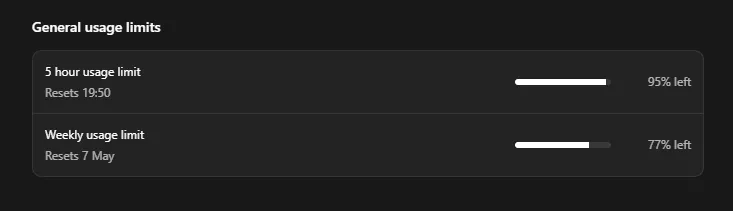
It’s definitely more efficient running this way, but there were a few small gaps in the findings that could be filled by a better prompt. That will increase the token cost, but it seems to be quite a way off the usage of deepsec.
How does a traditional SAST scan compare?
I won’t compare like for like in this post as I’ve invested much more time and effort into SAST scanning over the years across my repositories, so it captured all of the findings from the deepsec and simple prompt scans. This is not a fair comparison, as it’s my first time exploring deepsec.
It’s worth noting though that I don’t believe the scanning capabilities of deepsec out of the box do anything that can’t be done with traditional scanning techniques, but it might make the barrier to entry easier, or provide better opportunities to integrate into AI first approaches to software development.
How does a simple prompt with an open source agent and a basic model compare?
We tried a like-for-like comparison using the same Codex agent and GPT-5.5 model, and there wasn’t a huge difference between the two, deepsec was slightly better in certain areas and prompting directly was more cost effective.
I’d like to compare this against a free option, as a lot of SAST tools are open source. It seems like a comparison worth running. I’ll run the same prompt using OpenCode and the default Big Pickle model.
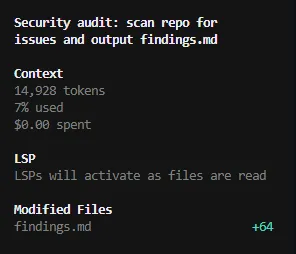
As you can imagine the findings were nowhere near as robust, but surprisingly the one useful issue it did find was the IAM permissions finding that was in deepsec, but not in the prompt scan.

It’s also interesting that Big Pickle categorised this finding as LOW, whereas deepsec marked it as HIGH.
Final thoughts
As a brand new release it worked really well out of the box, I didn’t have to configure any customisations to get going. I also feel I’ve only touched on the basics so far, and there are opportunities beyond the quick start guide. I’m looking forward to seeing how it can evolve further with time.
I’m not convinced it can find anything that can’t be found with traditional SAST tooling, and there is an extra cost when it comes to burning through tokens. I would treat it as a complementary tool, rather than a replacement, and something that can be explored further for those with an interest in AI focused code scanning and AI first software development.
Similar findings can be achieved with a simple prompt, and the rest is mostly scaffolding around that with a better model. I don’t think it would be too difficult to replicate with your own skills and well crafted prompts.
The real benefit I see with deepsec isn’t necessarily the findings, but the interoperability between agents, and if you’re using multiple agents you can have one agent validate findings generated by another. They could even tack on a “fix” command to generate the code fix and create a pull request, which shouldn’t be too difficult with the agents being used.
It’s definitely worth exploring, to understand whether it fits into your SDLC, but there are more cost effective alternatives out there for a more simplistic/traditional approach.